
Getting Started with RestroFlow
Getting Started with RestroFlow: A Step-by-Step Setup Guide
Running a restaurant is challenging enough, setting up your restaurant management software shouldn’t be. That’s why RestroFlow is designed to be simple, intuitive, and fast to get started.
In this guide, we’ll walk you through exactly how to set up RestroFlow, step-by-step, so you can start managing your orders, tables, menus, and inventory all in one place.
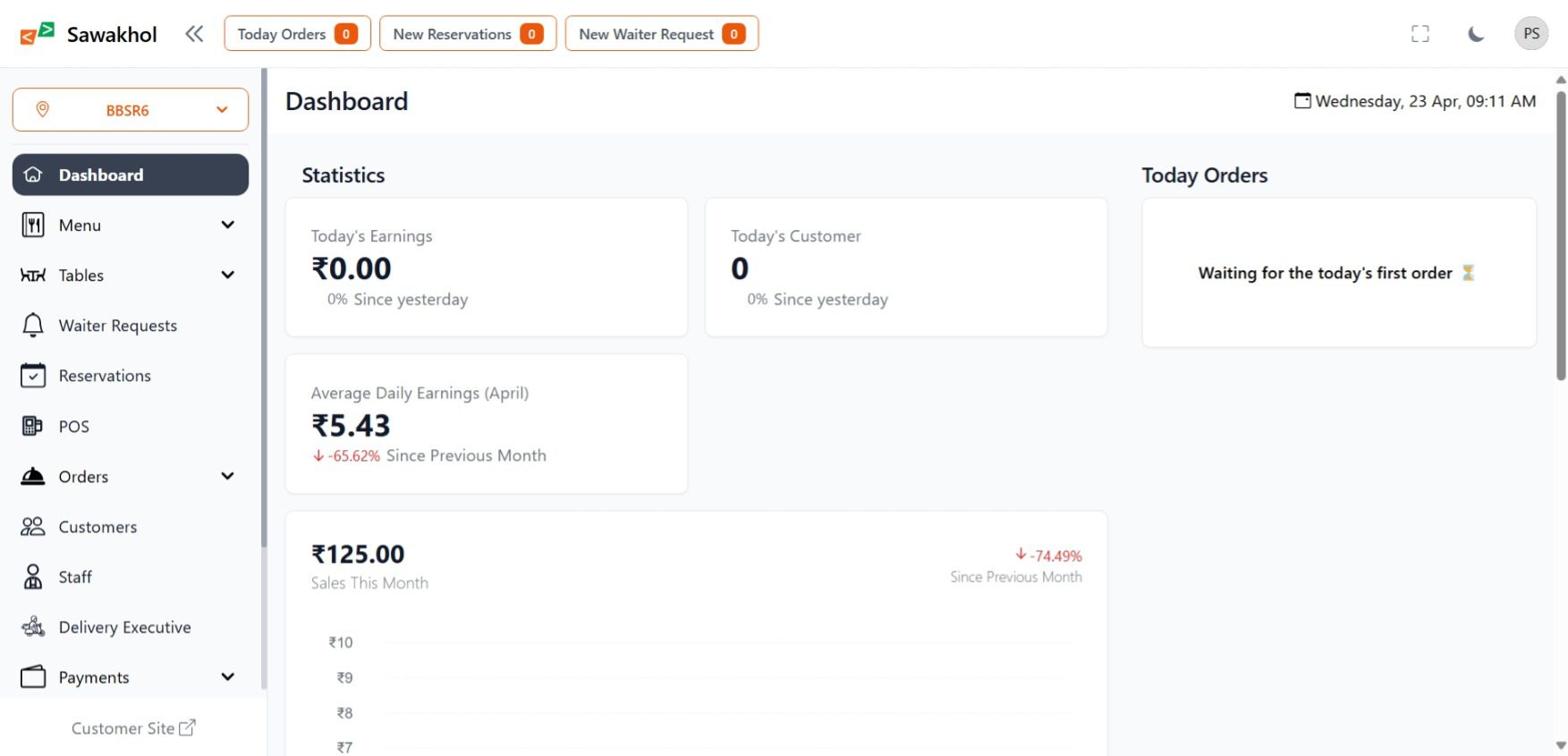
🚀 Step 1: Create Your RestroFlow Account
First things first:
👉 Visit RestroFlow and click on “LogIn” or “Get Started.”
You’ll be asked to provide:
- Your restaurant/business name
- Email address
- Password
- Your Full name
After filling out the form, Next Restaurant Branch Details! If you have any branches or just your restaurant name and address.
✅ Tip: Use a strong password and save it securely.
🏢 Step 2: Set Up Your Restaurant Profile
Once your account is ready, you’ll be prompted to fill out your restaurant’s basic settings with the help of our onboarding step by step setup.
- Provide the essential details of your restaurant branch, if you have any branch or just your restaurant and other essentials by following the intuitive setup wizard.
After the Setup Wizard, simply head to the settings tab:
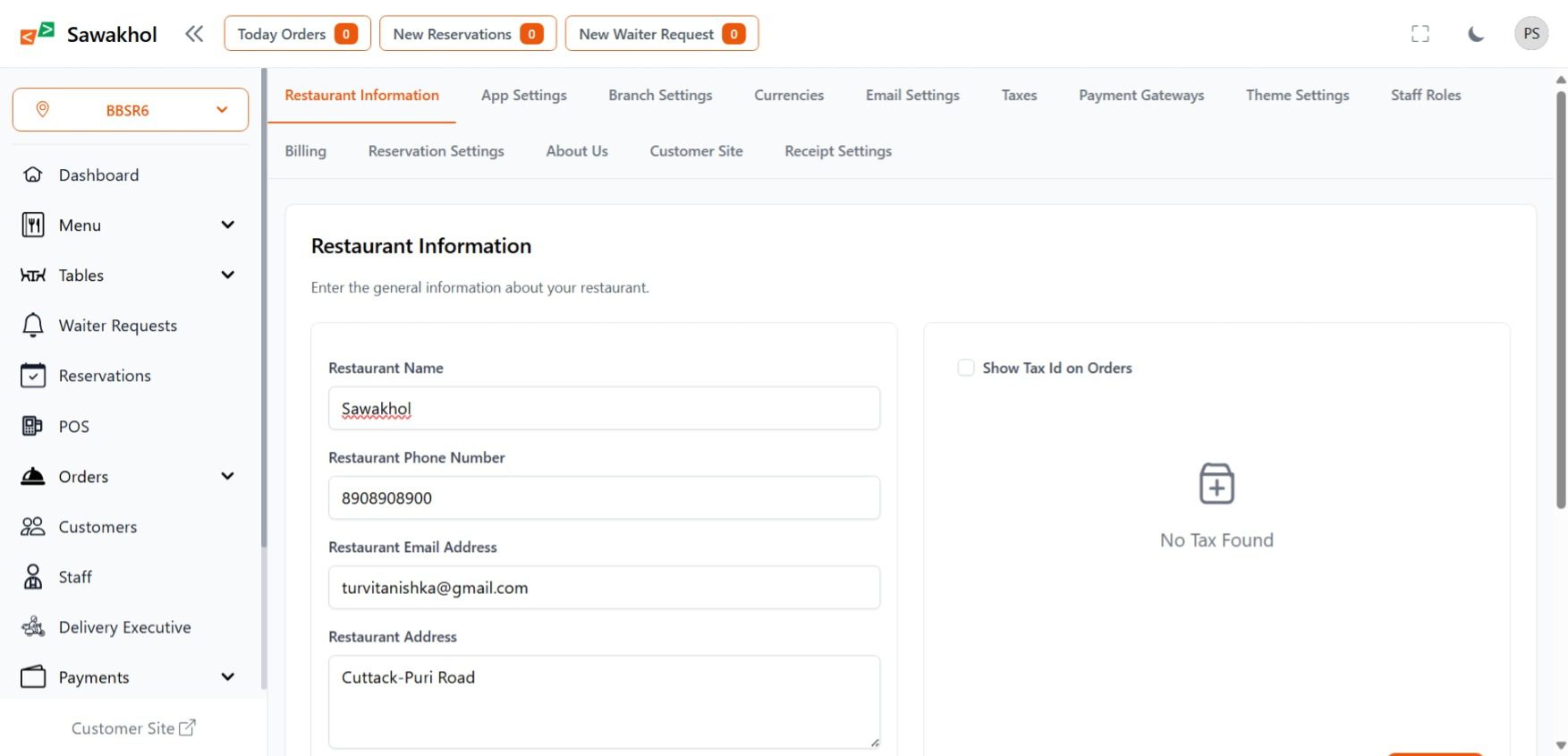
- Address/location and complete Restaurant Information
- Operating hours
- Logo, favicon, color and more on Theme settings (optional but recommended for branding)
- Billing settings
- Reservation settings
- Customer site settings
- Receipt Settings
- ‘About Us Setting’ to display for your customers
- Staff roles
- Payment gateway
- App settings
- Taxes settings
- other essentials
Why this matters:
Accurate info ensures your digital receipts, menus, and reports reflect your brand professionally.
🧾 Step 3: Configure Your Menus
Now for the fun part, building your menu!
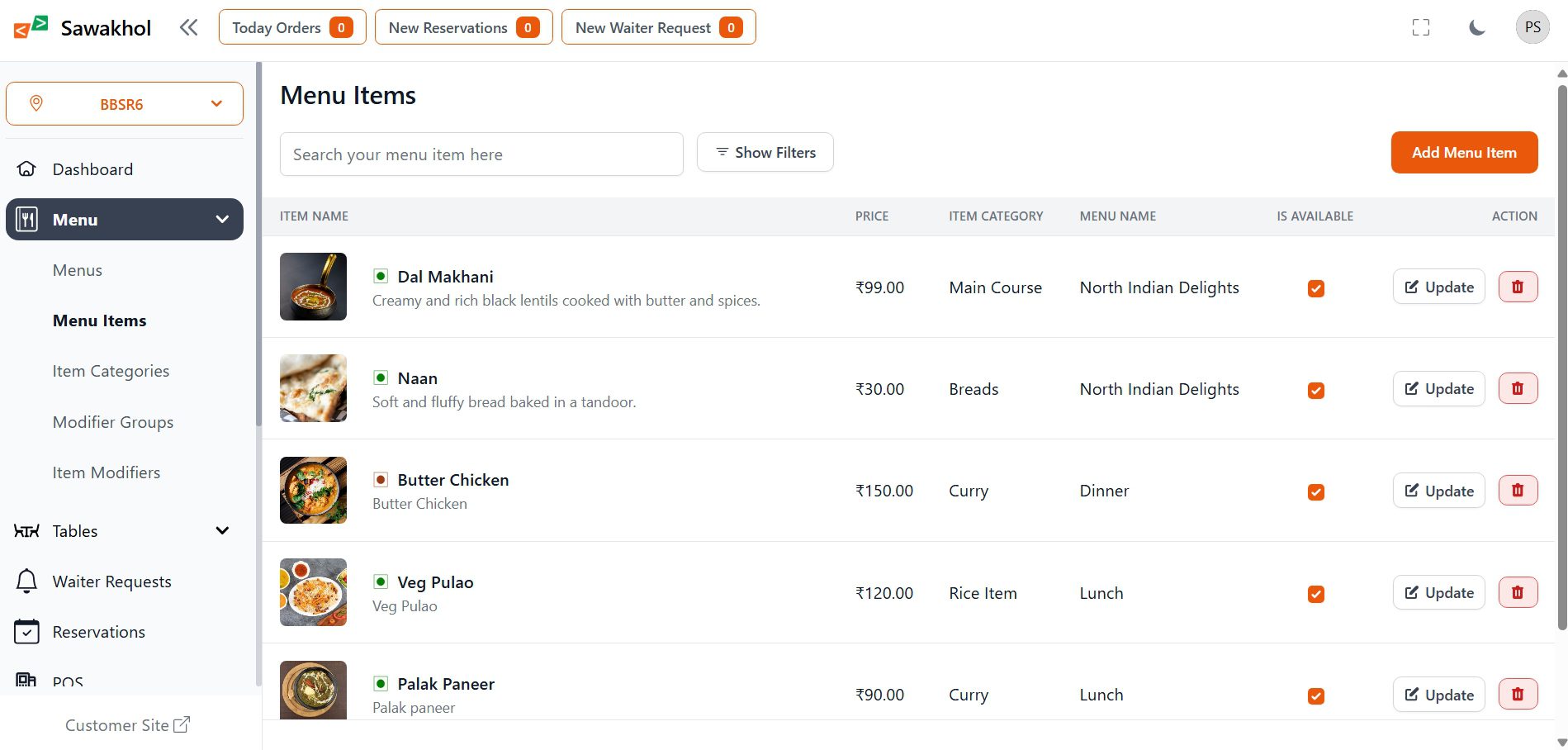
Head to the Menu Management section:
- Create categories (e.g., Starters, Mains, Desserts, Drinks)
- Add dishes or items with names, descriptions, prices, and images
- Set availability and variations
✅ Tip: Use clear item names and tempting descriptions to boost upsells.
🍽️ Step 4: Design Your Table Layout
Visualize your restaurant floor by setting up your tables:
- Create table zones/areas (e.g., Main Hall, Terrace, Private Room, Rooftop)
- Assign table numbers and seating capacity
- QR codes will be automatically generated for tables
This helps servers quickly identify tables during busy shifts and improves seating management.
📦 Step 5: Manage Your Inventory
Efficient inventory management helps you cut costs and avoid shortages.
In the Inventory section:
- Add ingredients and supplies
- Set unit measurements (kg, liters, packs, etc.)
- Track stock levels and receive low-stock alerts
✅ Bonus: Link menu items to ingredients for automatic inventory deduction as orders are placed!
💸 Step 6: Set Up Your POS and Payment Options
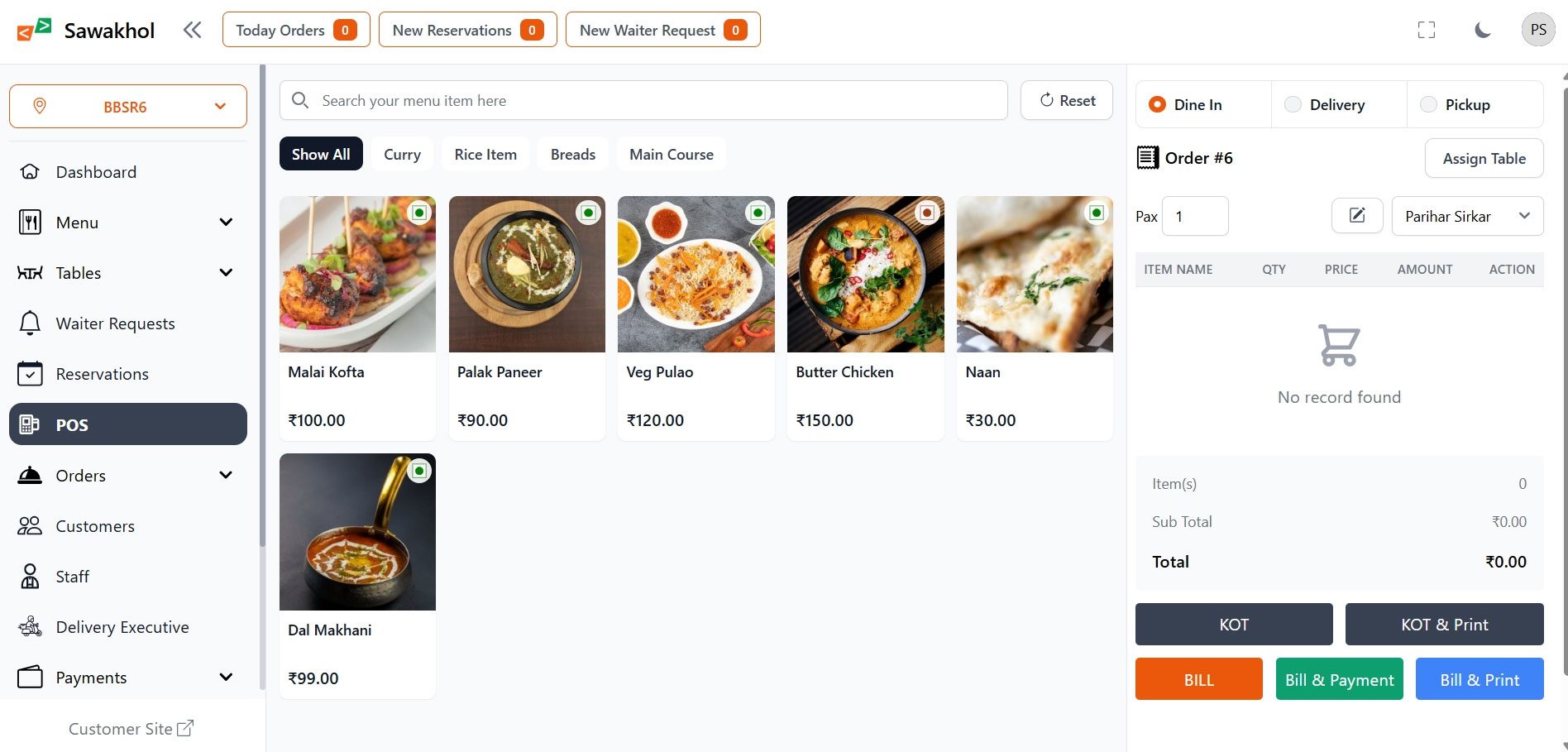
RestroFlow includes a full-featured POS system for smooth billing.
- Customize your POS screen layout
- Add tax rates
- Set up payment options (cash, credit cards, wallets)
- Connect a receipt printer if needed
Pro Tip: Offer multiple payment methods to keep customers happy and lines moving fast.
🧑🤝🧑 Step 7: Add Your Staff
Empower your team with role-based access:
- Add users (servers, managers, chefs, cashiers)
- Assign roles and permissions (who can view sales reports, who can edit menus, etc.)
✅ Safety First: Protect sensitive data by giving the right access to the right team members.
📊 Step 8: Explore Real-Time Reporting
RestroFlow provides powerful analytics:
- Track sales trends
- Monitor best-selling dishes
- Review staff performance
- Watch inventory consumption
Access these reports anytime, anywhere, whether you’re at the restaurant, at home, or on the go!
🏁 Step 9: Go Live!
That’s it! Once everything is set up:
- Open the POS
- Start taking orders
- Manage your tables, customers, and inventory effortlessly
RestroFlow will handle the back-end heavy lifting while you focus on what matters: delivering great food and amazing service.
🎯 Final Tips for a Smooth Launch
- Train your team early (RestroFlow’s intuitive design makes it easy!)
- Double-check menus and prices before going live
- Keep an eye on inventory alerts to avoid supply issues
- Explore add-ons or integrations if needed
📣 Ready to Get Started?
Setting up your restaurant management system has never been easier. With RestroFlow, you can manage everything—menus, tables, orders, and inventory—from a single, cloud-based platform.
👉 Create your free account today and experience the future of restaurant operations!


I’m Manas Ranjan Sahoo: Developer/Founder of “Webtirety Software”. I’m a Full-time Software Professional and committed to expanding Webtirety Software into a thriving platform that empowers businesses and individuals alike. I love to Write Blogs on Software, Technology, eCommerce, SEO, and Digital Marketing.